
“I built it because I was tired of carrying a separate app for every calculation I do on a job. Now it’s one app, 173 tools, on every device you own.” – Keith Parsons
173 tools in one app in the palm of your hands, that is pretty cool. As a wireless engineer there are lots of things we need to understand and look at when working on projects. At times you don’t remember every single detail and sometimes you need to check a quick RSSI/SNR value, Calculate EIRP, Understand Antenna Tilt, check your throughput, applications and perhaps roaming etc.
I was excited to be one of the testers for this app and I have been using it all the time for different tasks. I won’t be able to get into every single feature and 173 tools. But I would like to share some that I use a lot and are my favorites.
Check My Connection:
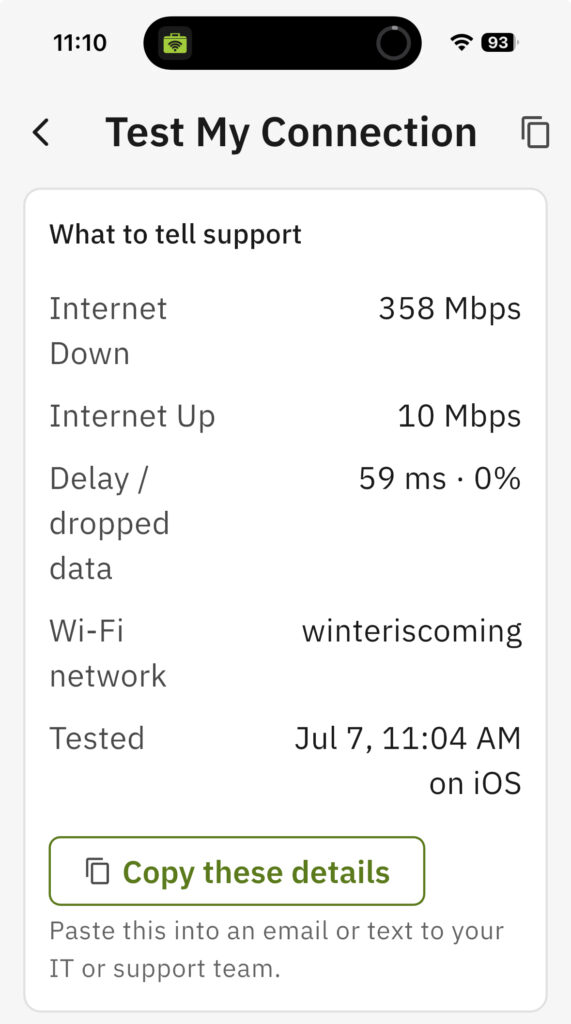
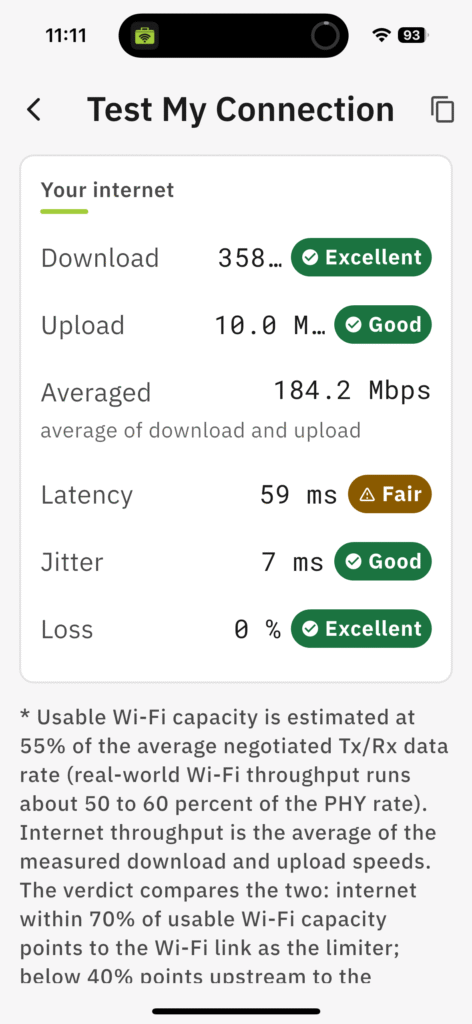
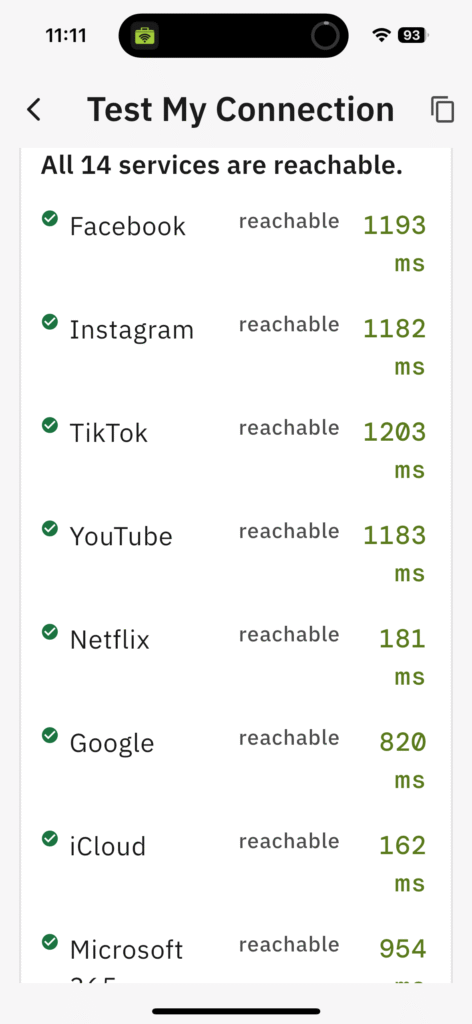
Very first option is to check your connection, it isn’t just running a speed test and displaying results.
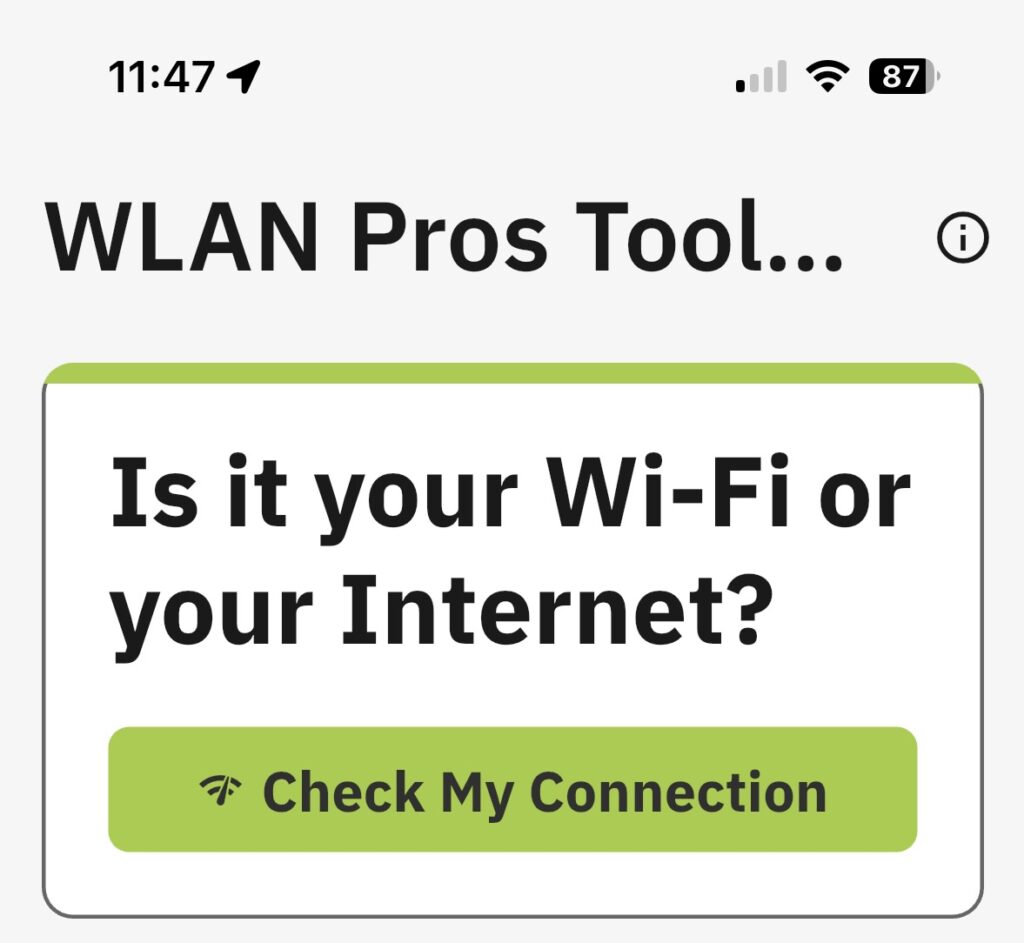
Start with testing a connection and it gives quick information about my Wi-Fi, Internet, local IP information, latency, jitter, RSSI, SNR, Channel and common applications performance.
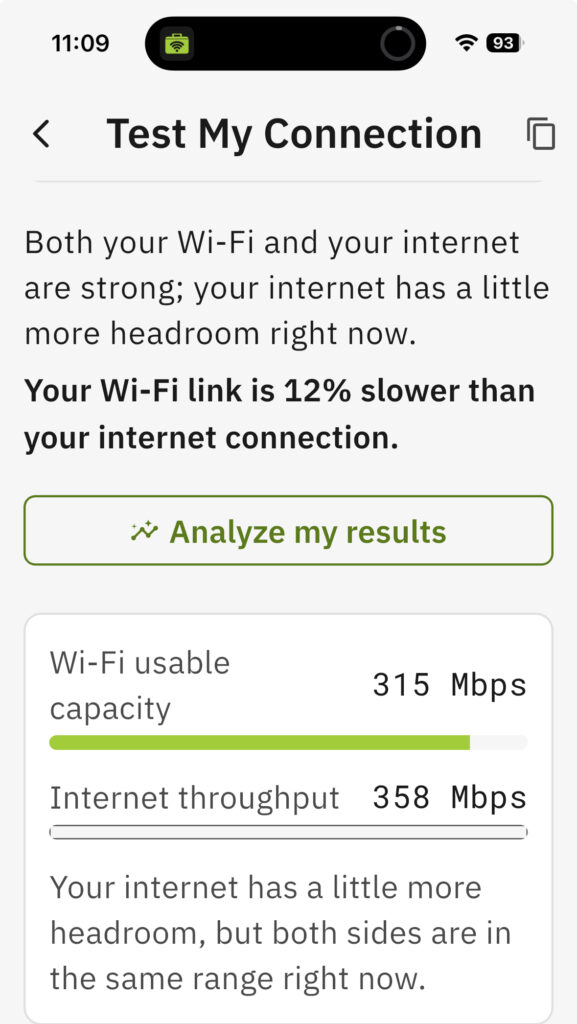
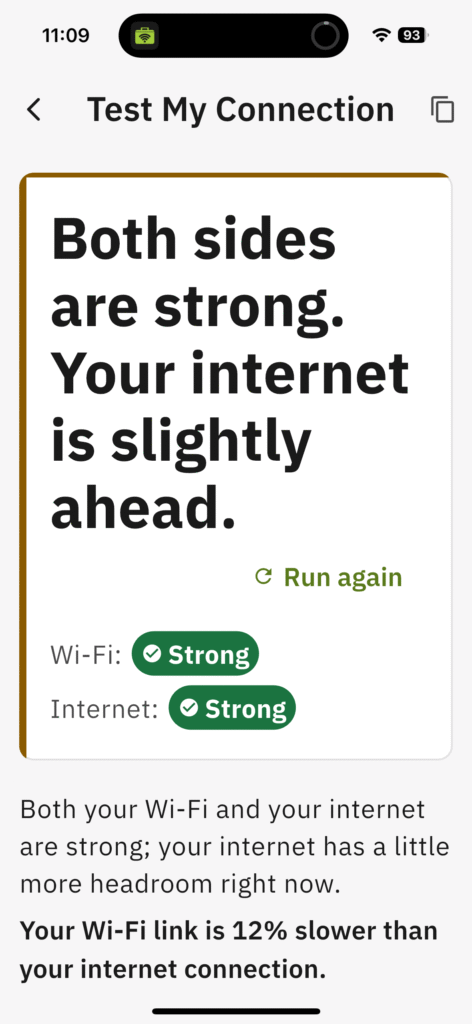
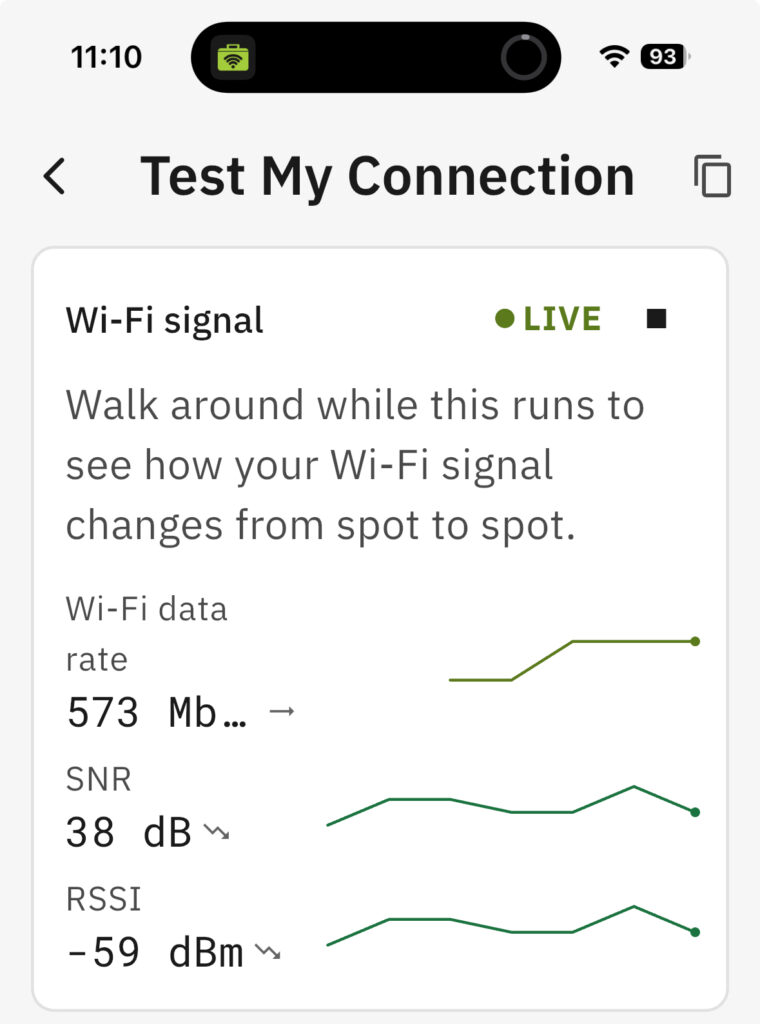


Wi-Fi Information:
One of my favorite options in here is to turn on live Wi-Fi RSSI/SNR monitoring as I walk around to get some idea on how the RSSI and SNR values look.
Roaming Log:
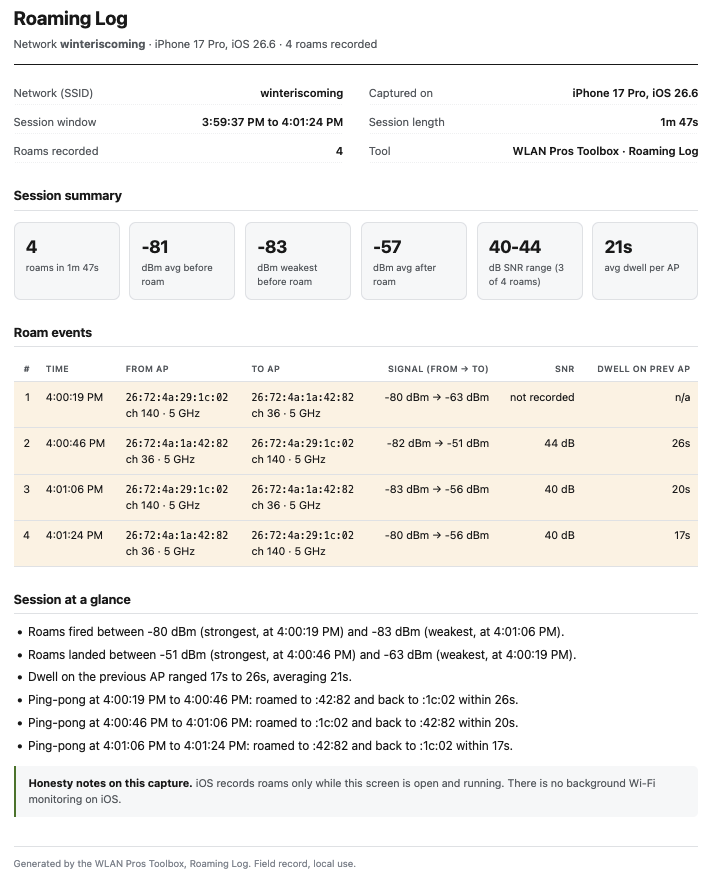
When it comes to Wi-Fi roaming happens and seamless roaming is very important. This roaming log gives me a quick roaming overview on my iPhone or my iPad. I also like the fact that I can copy these log results and email them or paste them in a conversation.
Roaming Log Update:
After I posted this blog I found out that there’s been improvements to the roaming log since I last used it. After using the updated version I feel it is my duty to show the update because it is an amazing update, extremely helpful when trying to troubleshoot without pulling out any expensive equipment.
Roaming Report:
Notice how it shows signal “FROM –> TO”, if you have had to deal with roaming issues as a wireless engineer and troubleshoot roaming; this information along with all the other columns can be very helpful. Even if I want to just quick check the network without using any other tools, I can simply walk around and capture this precious data. Now I am an Apple user, but if Android and Windows is your cup of tea, WLAN Pros Tool box is available for those two platforms as well. I only have two APs to test this with, but looking forward to testing this in a larger environment.
IP Subnetting:
Over the years there are many scenarios where I am able to calculate IP Subnetting in my head and some I just don’t even have to think about. But there are always scenarios and times when I just need to use a calculator. WLAN Pros Toolbox has a built in Calculator for IPv4 and IPv6.
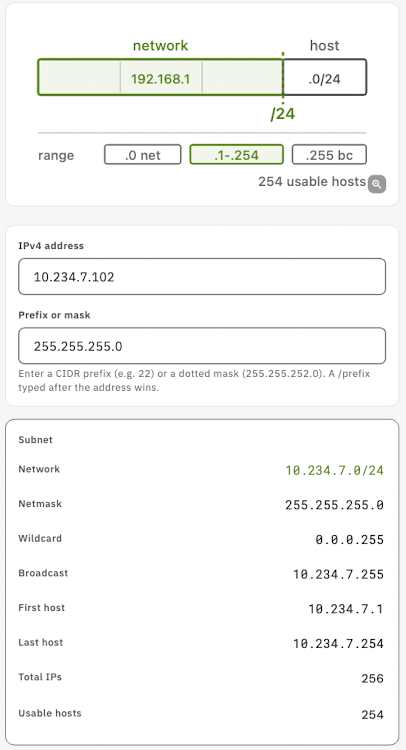
I can easily copy and paste it when needed.
IPv4 Subnet
Network: 10.234.7.0/24
Netmask: 255.255.255.0
Wildcard: 0.0.0.255
Broadcast: 10.234.7.255
First host: 10.234.7.1
Last host: 10.234.7.254
Total IPs: 256
Usable hosts: 254
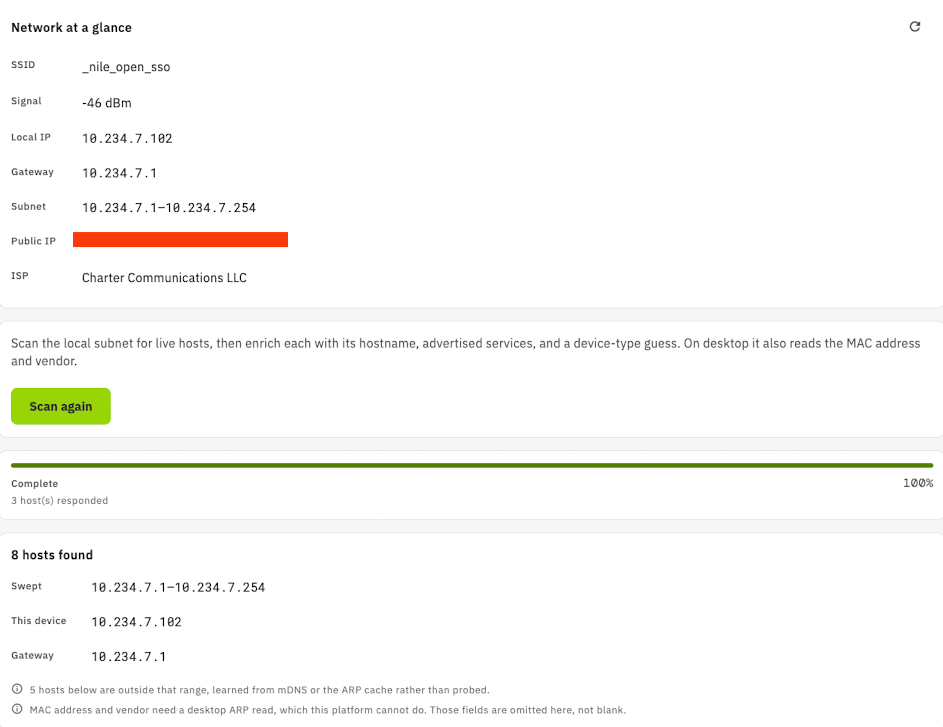
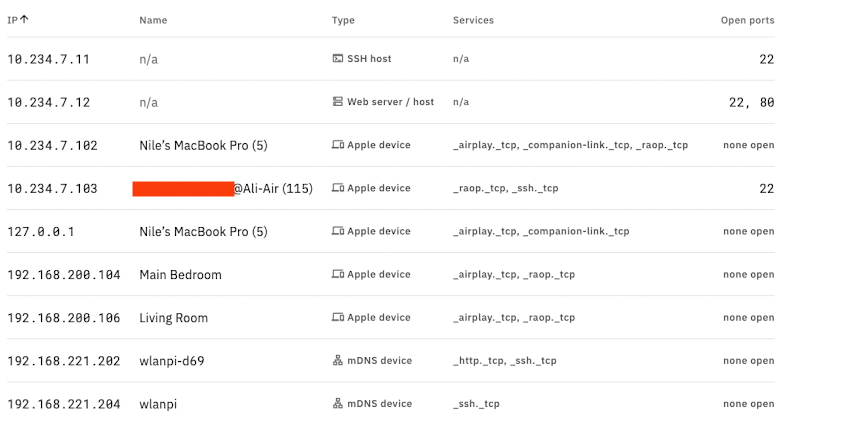
Network Scan:
There are times I need to do Network Discovery to see all the hosts that are alive and what ports are open on the discovered hosts. I really like how the Network Discovery shows up. I can copy and paste this into an excel sheet. I have a really good use case for this and I am able to use this into some of the work flow I have. NOTE: I was using the iOS app, but if you are using the macOS app .dmg file you will also see the MAC columns.
MAC Vendor OUI Lookup:
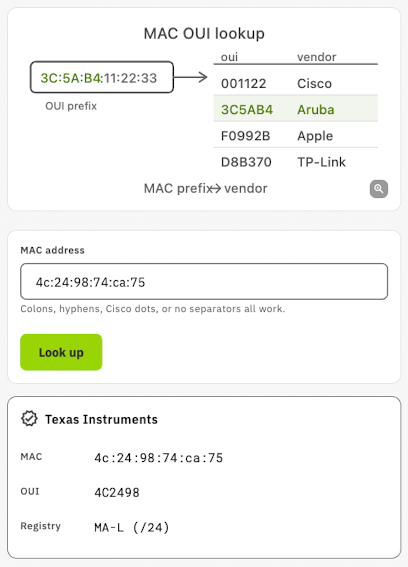
This is something else I have been needing atleast couple of times a week and sometimes more. Instead of going to different websites now I can simply use the WLAN Pros Toolbox app.

In addition to all this, there are plethora of tools under “Calculators and Tools” that I occasionally reference, some of my favorites:
- Free Space Path Loss
- Fresnel Zone
- Noise Floor
- Antenna Downtilt
- Downtilt Coverage
- EIRP
I’m running this app on my Mac, iPad and iPhone. If you haven’t checked out this app go check it out, best part it is FREE.