
This post is about my very first experience with Aruba Central APIs. I enjoy working with APIs and automating things to the best of my abilities. After I finally got my Aruba Central account setup; my first step was to figure out how do I get my API token.
After logging into Aruba Central, under Global Settings, API Gateway is where you can get your token.


After clicking Generate I had a Token available under Token List.

You can easily download the generated token from here:

I recommend saving the Client ID and Client Secret from under “My Apps and Tokens”. This will be needed later so that the token can be refreshed.

Downloaded Token looks something like this:
{
  "access_token": "S46iW64E2Ef83ra.......",###TOKEN
  "appname": "nms",
  "authenticated_userid": "youremail@yourdomain.com",
  "created_at": 1644633736495,
  "credential_id": "xxxxxxxx....",###What is this - Pending???
  "expires_in": 7200,
  "id": "34c37278-xxxx-xxxx-........", ###TOKEN ID
  ###This token is used to refresh the token instead of creating a new
  one###
  "refresh_token": "Qjexxxxxxxxxxx",
  "scope": "all",
  "token_type": "bearer"
}
Following link goes over “Making API Calls” in detail; following two are key components of the API call:
Content-Type: application/json
Authorization: Bearer "Token"
There are three different sections of the API URL:
- Domain Name – See this link – These have to be specific to your login
- Endpoint path – Under API Gateway -> All Published APIs
- Query parameters – If any specific query parameters are required
Refreshing Token:
While I was reading up on all this, figuring out how to get it formatted in my IDE; my token expired (lasts for 2 hours). Instead of creating a new one, I decided to refresh my existing token.
Here is a short newbie script to refresh Aruba Centrals’ API Token:
import requests
from pprint import pprint as pp
#### This script will referesh the token after 2 hours
client_id = 'xxxxxxxxx'
client_secret = 'xxxxxxxxxxxxx'
grant_type = 'refresh_token&'
### There is a new refresh token each time token gets refreshed
refresh_token = 'yyyyyyyyyyyyyyyyyy'
base_url = 'https://......'
### URL NOTES ###
### Domain Name: This is the domain name of the API gateway based on the location of the Aruba Central Customer account
### https://developer.arubanetworks.com/aruba-central/docs/api-oauth-access-token#section-requirements
### API Endpoint Path: Endpoint path is the path within the API Gateway domain.
### https://developer.arubanetworks.com/aruba-central/reference/apiget_idp_metadata

url = base_url +'/oauth2/token?client_id='+ client_id + 'client_secret='\
+ client_secret +'grant_type='+ grant_type +'refresh_token='+ refresh_token
#print(url)
headers = {
  'Content-Type': 'application/json',
}
response = requests.post(url, headers=headers)
data = response.json()
pp(data)
My First API Call:
Time to make my first API call. I decided to run a simple query to see my access point.

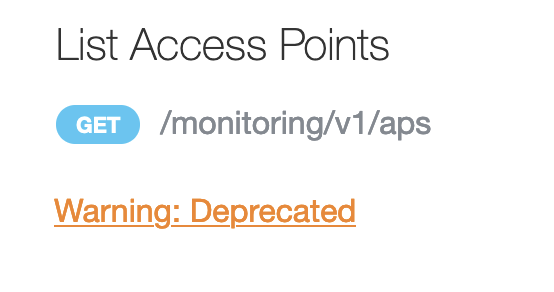
If you pay attention you will notice, “List Access Points” and “List BSSID’s” twice. Difference is versions. First one is v1, second one is v2:

Again my short newbie Aruba Central API script:
import requests
from pprint import pprint as pp
###NOTE: This can be setup as an environment variable, I just haven't done that yet.
aruba_apikey = 'Bearer your-token-goes-here'
base_url = 'https://apigw-uswest4.central.arubanetworks.com'

url = base_url + '/monitoring/v2/aps'
print(url)
headers = {
    'Content-Type': 'application/json',
    'Authorization': aruba_apikey
}
response = requests.get(url, headers=headers)
data = response.json()
pp(data)
API Reponse:
{'aps': [{'ap_deployment_mode': 'IAP',
          'ap_group': None,
          'cluster_id': '',
          'controller_name': '',
          'firmware_version': '8.7.1.0_77203',
          'gateway_cluster_id': '',
          'gateway_cluster_name': '',
          'group_name': 'default',
          'ip_address': '192.168.10.115',
          'labels': [],
          'last_modified': 1644287715,
          'macaddr': 'f4:xxxxxx',
          'mesh_role': 'Unknown',
          'model': '515',
          'name': 'f4:xxxxx',
          'notes': None,
          'public_ip_address': '#.#.#.#',
          'radios': [{'band': 1,
                      'index': 0,
                      'macaddr': 'f4:xxxxxx',
                      'radio_name': 'RADIO 5 GHz',
                      'radio_type': '802.11ax',
                      'spatial_stream': '4x4:4',
                      'status': 'Down'},
                     {'band': 0,
                      'index': 1,
                      'macaddr': 'f4:xxxxxxxx',
                      'radio_name': 'RADIO 2.4 GHz',
                      'radio_type': '802.11ax',
                      'spatial_stream': '2x2:2',
                      'status': 'Up'}],
          'serial': 'CAAAAAAAAA',
          'site': None,
          'status': 'Up',
          'subnet_mask': '255.255.255.0',
          ###Don't know what this is exactly###
          'swarm_id': '111111222222ssssssssss',
          'swarm_master': True,
          'swarm_name': 'SetMeUp-xxxx'}],
 'count': 1}
Pretty usual stuff that can easily be filtered/manipulated.
Summary:
Setting up token and initial access was easy and straightforward and there was good documentation available to get you going. This link is a good starter link. I found following few things that I feel can be improved and can be counter productive.
- 1000 API Calls per day/per org (If you need more you have to ask Aruba to increase them. Don’t know the max number).
- There are different versions, if you have a large system built utilizing Aruba API’s and Aruba changes the version; this can increase R&D work.
- You have to use a specific URL for the cloud server you are on, just like logging in. I tried using the generic URL I saw in one example and that did not work.
- You have to refresh the token ever two hours.
There is much more to be explored in this realm of Aruba Central, I will post my experiences as I learn more.