While doing some testing in Arista CV-CUE with Arista Access Points I needed to create an SSID but wanted it advertised on a single access point and 5 GHz only. I previously wrote about the Arista CV-CUE Navigation, and one of the ways I can accomplish this is by creating another location folder, assign that access point to it and then make sure all the other SSIDs are assigned to that location also.

I do not like this approach, so how do I create a 2.4 GHz SSID and advertise it on a specific Arista Access Point along with the other SSIDs? Answer is Groups; they are a bit complicated to understand but once you get the hang of it, it is not that complicated.
Step 1 – Create a Group:
You can create a group from couple of areas, but I’ll start with the easy and basic method, which is System –> Navigator.
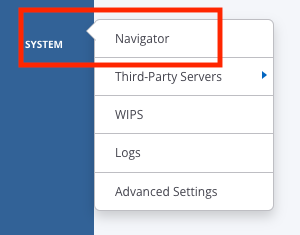
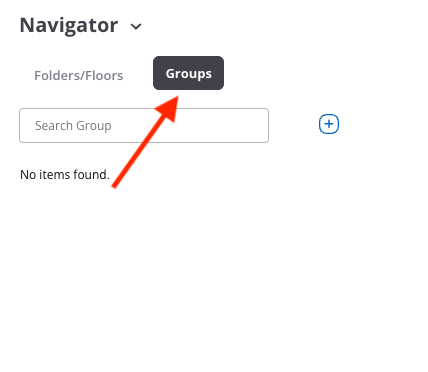

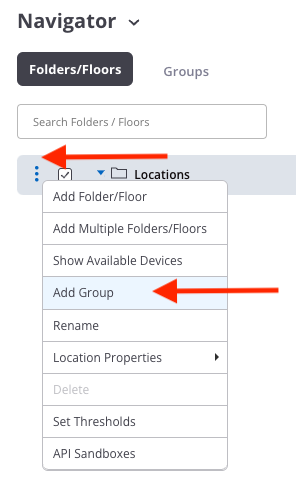
I like to create Groups from the “Folders/Floors” section, because I can easily choose the Folder I need to create a Group under. I need this SSID under the location “aristalab00”; I created the Group under that folder.

Step 2 – Configure SSID:
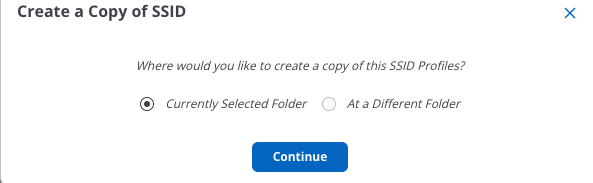
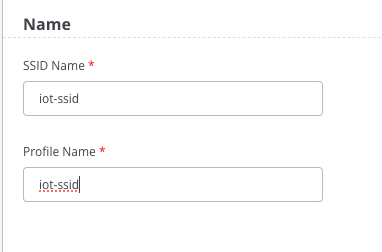
I have an option to create an SSID from scratch or I can just create a copy of an existing SSID and rename it as shown below. After all the information has been updated, I still need to turn it on, make sure it is using 2.4 GHz only and only a one specific AP is advertising it.



Next, let’s turn on the SSID and see what happens. Notice the 2.4 GHz boxed checked only.

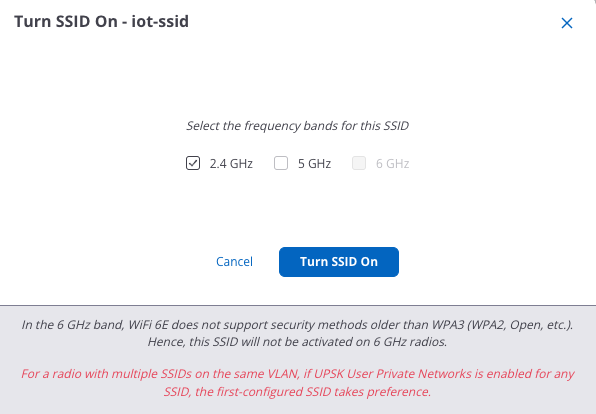
I am seeing this SSID on both Arista Access Points.

Step 3 – Assign AP/SSID to a Group:
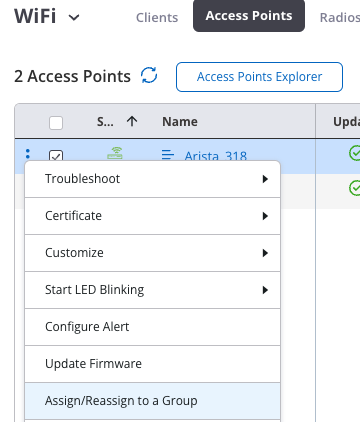
In this step, I need to assign the access point to that group that I just created. This can be done from the System –> Navigator screen. This seems to be a longer way, unless you are already under the System –> Navigator screen.


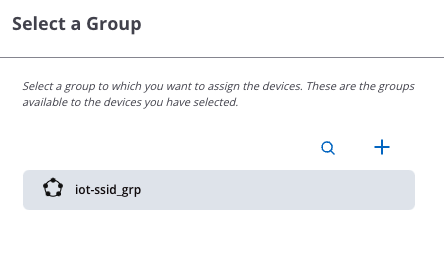

Second method is to assign Access Points to the Group from the Monitor –> Access Point Screen.

Step 4 – Customize SSID Advertisement:
This SSID is still on both access points because Access Points are inheriting the configuration from the Site Folder (aristalab00). First I need to turn this SSID off under the Site Folder (aristalab00) so all the access points that are under that folder stop advertising it.

This screen shows the Group Configuration and based on this, SSIDs are not enabled. Which means, after turning off the “iot-ssid” SSID from the parent folder, there would be no SSID advertisements from Arista_318 access point.

Screen shot from Wi-Fi Explorer 3 shows only Arista_330 access point is advertising the SSIDs. Looking ate the Status of each access point Arista_330 access point is showing active BSSIDs other than the BSSID for the “iot-ssid”.
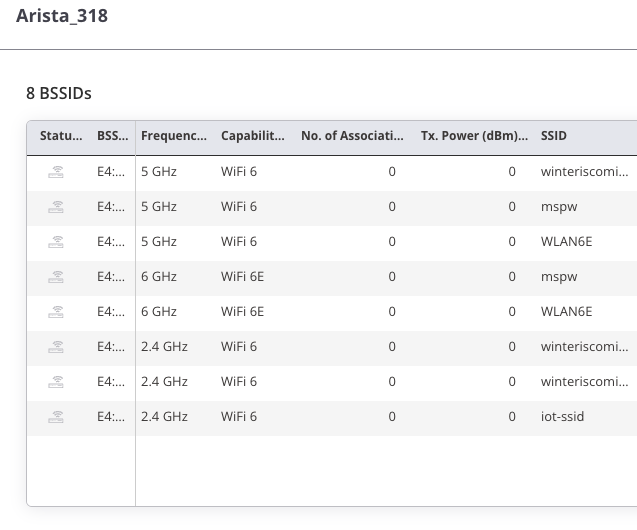
Arista_318 acces point is showing all BSSIDs offline under status since I have not yet turned them on.


From here now I can choose which SSIDs I want to advertise on this specific access point and customize it. This can be for a single access point or a group of access point. Any access point associated with this group will only advertise the SSIDs that are enabled under the group.
I will go ahead and turn on all the SSIDs since I do want all the SSIDs to broadcast on Arista_318 plus “iot-ssid”.

Now if I look at Arista_318 I can see that all requirements are met:
- Create an SSID (iot-ssid)
- Make the SSID 2.4 GHz only
- Advertise the SSID on only one access point Arista_318

Summary:
Using Groups in Arista CV-CUE can allow some granular configuration and customization including separate Radio settings.
NOTE: It is important to remember when turning on the SSIDs under a group or another child folder/site that their frequency settings need to match the parent folder. So if a parent folder has an SSID with 5 GHz only and you are customizing things and enable that SSID under a child Group, you will need to make sure you uncheck the other frequencies and match what is in the parent folder.