
Some initial thoughts:
I didn’t feel like typing all this, so you’ll just have to play the video and hear me talk.
Some related links:
- WLANPi
- Debian
- Ubuntu
- Turnkey Linux (Thanks Allyn)
Installation:
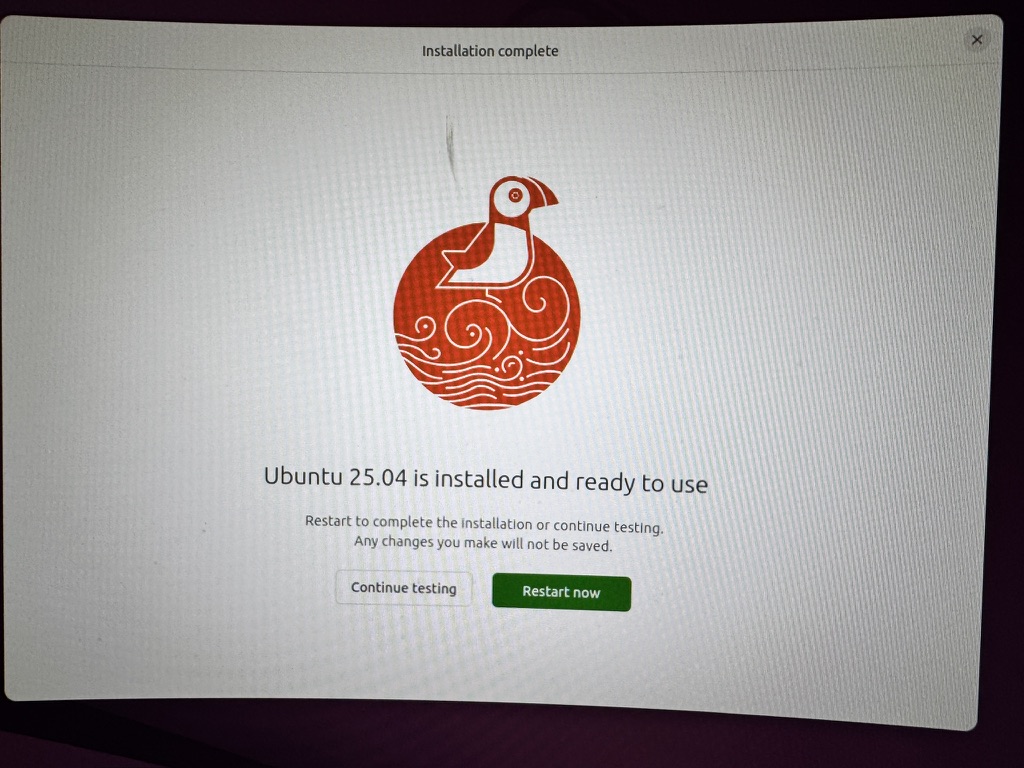
Ubuntu installation was quick an easy, I downloaded Ubuntu 25.04 from the following link. Then I used BalenaEtcher to create a bootable USB drive.
Next, it was simply a matter of booting up my computer from that USB drive and follow the install process. Within a few min install was done and system was ready for a reboot.
Hardware Used:
- CPU – Intel(R) Core(TM) i5-4570T CPU @ 2.90GHz
- Memory – 4 Gig
- Harddrive – SATA 128 Gig
- WLAN – Centrino Wireless-N 2230
- Ethernet: Ethernet Connection I217-V
RDP:
Since this was going to be headless, I needed a way to remotely manage this machine. Step one, I setup xrdp so that I can remotely log into the UI. This is a pretty good link with the xrdp installation process. High level following commands should do the job, unless you want to further customize things.
sudo apt update
sudo apt install xfce4 xfce4-goodies (Not required, but for xrdp light weight desktop environment is useful
sudo apt install xrdp

And lastly check the status of the xrdp
sudo systemctl xrdp status

If it is not running use the following command to run it
sudo systemctl start xrdp
mali@ubt01:~$ systemctl status xrdp
xrdp Status
● xrdp.service – xrdp daemon
Loaded: loaded (/usr/lib/systemd/system/xrdp.service; enabled; preset: enabled)
Active: active (running) since Sat 2025-05-10 21:05:05 EDT; 22h ago
Invocation: 6946040d73be4bdf
Docs: man:xrdp(8)
man:xrdp.ini(5)
Main PID: 2025 (xrdp)
Tasks: 1 (limit: 3873)
Memory: 1.9M (peak: 20.5M)
CPU: 1.669s
CGroup: /system.slice/xrdp.service
└─2025 /usr/sbin/xrdp –nodaemon
SSH Server:
Next, I wanted to install SSH server so I can remotely SSH and manage this machine.
Ubuntu official documentation to install the OpenSSH Server on Ubuntu. For now I did not need any special customization so I used the following commands to get it going.
sudo apt install openssh-server

Make sure the service is running
sudo systemctl status openssh-server
● ssh.service – OpenBSD Secure Shell server
SSH Status
Loaded: loaded (/usr/lib/systemd/system/ssh.service; enabled; preset: enabled)
Active: active (running) since Sat 2025-05-10 21:04:59 EDT; 22h ago
Invocation: 19e04b724a2d47a
TriggeredBy: ● ssh.socket
Docs: man:sshd(8)
man:sshd_config(5)
Main PID: 1426 (sshd)
Tasks: 1 (limit: 3873)
Memory: 5.3M (peak: 6.3M)
CPU: 154ms
CGroup: /system.slice/ssh.service
└─1426 “sshd: /usr/sbin/sshd -D [listener] 0 of 10-100 startups”
FreeRADIUS:
I have already written up on this previously so this was an easy setup. I used this link to get the FreeRADIUS installed. I do not have the firewall running currently on the machine, so I skipped the ufw steps.
DHCP Server:
Installing DHCP server was easy. Ubuntu official documentation link walks you through the process. It is a simple command that will get the DHCP server installed.
sudo apt install isc-dhcp-server

There are two files that needed to be updated:

1 - /etc/dhcp/dhcpd.conf
2 - /etc/default/isc-dhcp-server

NOTE: Use ifconfig to find out which interface you want to bind this to. In my case it was "eno1". Next I needed to edit the /etc/default/isc-dhcp-server file to specify the interface.

# Defaults for isc-dhcp-server (sourced by /etc/init.d/isc-dhcp-server)

# Path to dhcpd's config file (default: /etc/dhcp/dhcpd.conf).
#DHCPDv4_CONF=/etc/dhcp/dhcpd.conf
#DHCPDv6_CONF=/etc/dhcp/dhcpd6.conf

# Path to dhcpd's PID file (default: /var/run/dhcpd.pid).
#DHCPDv4_PID=/var/run/dhcpd.pid
#DHCPDv6_PID=/var/run/dhcpd6.pid

# Additional options to start dhcpd with.
#	Don't use options -cf or -pf here; use DHCPD_CONF/ DHCPD_PID instead
#OPTIONS=""

# On what interfaces should the DHCP server (dhcpd) serve DHCP requests?
#	Separate multiple interfaces with spaces, e.g. "eth0 eth1".
INTERFACESv4="eno1" <== Edit this
INTERFACESv6=""
Based on the documentation, I added the following configuration to my /etc/dhcp/dhcpd.conf file.
default-lease-time 600;
max-lease-time 7200;
option subnet-mask 255.255.255.0;
option broadcast-address 192.168.202.255;
option routers 192.168.202.1;
option domain-name-servers 208.67.222.222 1.1.1.1;
option domain-name "artofrf.local";

subnet 192.168.202.0 netmask 255.255.255.0 {
range 192.168.202.101 192.168.202.200;
}
Use the following command to verify the status of the DHCP server
sudo systemctl status isc-dhcp-serverNow the fun part, for me this service would not start and it would fail.
mali@ubt01:~$ sudo systemctl status isc-dhcp-server
× isc-dhcp-server.service – ISC DHCP IPv4 server
Loaded: loaded (/usr/lib/systemd/system/isc-dhcp-server.service; enabled; preset: enabled)
Active: failed (Result: exit-code) since Sun 2025-05-11 14:10:11 EDT; 5s ago <<=============
Duration: 19ms
Invocation: ff2e19fd354f4
Docs: man:dhcpd(8)
Process: 10864 ExecStart=/bin/sh -ec CONFIG_FILE=/etc/dhcp/dhcpd.conf; if [ -f /etc/ltsp/dhcpd.conf ]; then CONFIG_FILE=/etc/ltsp/dhcpd.conf; fi; [ -e /var/lib/dhcp/dhcpd.leases ] || touch /var/>
Main PID: 10864 (code=exited, status=1/FAILURE)
Mem peak: 4.4M
CPU: 12msMay 11 14:10:11 ubt01 dhcpd[10864]:
ISC DHCP Server Failure
May 11 14:10:11 ubt01 dhcpd[10864]: If you think you have received this message due to a bug rather
May 11 14:10:11 ubt01 dhcpd[10864]: than a configuration issue please read the section on submitting
May 11 14:10:11 ubt01 dhcpd[10864]: bugs on either our web page at www.isc.org or in the README file
May 11 14:10:11 ubt01 dhcpd[10864]: before submitting a bug. These pages explain the proper
May 11 14:10:11 ubt01 dhcpd[10864]: process and the information we find helpful for debugging.
May 11 14:10:11 ubt01 dhcpd[10864]:
May 11 14:10:11 ubt01 dhcpd[10864]: exiting.
May 11 14:10:11 ubt01 systemd[1]: isc-dhcp-server.service: Main process exited, code=exited, status=1/FAILURE
May 11 14:10:11 ubt01 systemd[1]: isc-dhcp-server.service: Failed with result ‘exit-code’.
I resorted to Google and tried to see if I can troubleshoot this issue. There were many links mentioning this problem, but none of the suggestions worked. I wasn’t even sure what was causing the issue to begin with. I know in Linux there is good logging for everything, but since it’s been a while since I used Linux exclusively, I needed to dig a bit more.
AI to the rescue:
I decided to give chatGPT a try and see if I can get some better results. One of the first thing I got was to check the journal logs using the following command. This command gave me a really nice output which exactly pointed me in the right direction. Take a look at the text in Bold/Italics below. My interface was using 192.168.221.0/24 network on “eno1” interface, while my DHCP config is for 192.168.202.0/24 network. This would not allow the service to start.
I let chatGPT analyze the file and it recommended to add a DHCP scope for the 192.168.221.0/24 network. I did not want to do this because I do not need DHCP running for that network. Instead I needed DHCP running for other networks that will be relaying DHCP back to his machine.
sudo journalctl -xeu isc-dhcp-server.service░░ Subject: A start job for unit isc-dhcp-server.service has finished successfully
Journal log for ISC DHCP Service
░░ Defined-By: systemd
░░ Support: http://www.ubuntu.com/support
░░
░░ A start job for unit isc-dhcp-server.service has finished successfully.
░░
░░ The job identifier is 15553.
May 11 13:38:50 ubt01 dhcpd[10665]: Internet Systems Consortium DHCP Server 4.4.3-P1
May 11 13:38:50 ubt01 sh[10665]: Internet Systems Consortium DHCP Server 4.4.3-P1
May 11 13:38:50 ubt01 sh[10665]: Copyright 2004-2022 Internet Systems Consortium.
May 11 13:38:50 ubt01 sh[10665]: All rights reserved.
May 11 13:38:50 ubt01 sh[10665]: For info, please visit https://www.isc.org/software/dhcp/
May 11 13:38:50 ubt01 dhcpd[10665]: Copyright 2004-2022 Internet Systems Consortium.
May 11 13:38:50 ubt01 dhcpd[10665]: All rights reserved.
May 11 13:38:50 ubt01 dhcpd[10665]: For info, please visit https://www.isc.org/software/dhcp/
May 11 13:38:50 ubt01 dhcpd[10665]: Config file: /etc/dhcp/dhcpd.conf
May 11 13:38:50 ubt01 sh[10665]: Config file: /etc/dhcp/dhcpd.conf
May 11 13:38:50 ubt01 sh[10665]: Database file: /var/lib/dhcp/dhcpd.leases
May 11 13:38:50 ubt01 sh[10665]: PID file: /run/dhcp-server/dhcpd.pid
May 11 13:38:50 ubt01 dhcpd[10665]: Database file: /var/lib/dhcp/dhcpd.leases
May 11 13:38:50 ubt01 dhcpd[10665]: PID file: /run/dhcp-server/dhcpd.pid
May 11 13:38:50 ubt01 dhcpd[10665]: Wrote 0 leases to leases file.
May 11 13:38:50 ubt01 sh[10665]: Wrote 0 leases to leases file.
May 11 13:38:50 ubt01 dhcpd[10665]:
May 11 13:38:50 ubt01 sh[10665]: No subnet declaration for eno1 (192.168.221.203).
May 11 13:38:50 ubt01 sh[10665]: ** Ignoring requests on eno1. If this is not what
May 11 13:38:50 ubt01 sh[10665]: you want, please write a subnet declaration
May 11 13:38:50 ubt01 sh[10665]: in your dhcpd.conf file for the network segment
May 11 13:38:50 ubt01 sh[10665]: to which interface eno1 is attached. **
May 11 13:38:50 ubt01 sh[10665]: Not configured to listen on any interfaces!
May 11 13:38:50 ubt01 sh[10665]: If you think you have received this message due to a bug rather
May 11 13:38:50 ubt01 sh[10665]: than a configuration issue please read the section on submitting
May 11 13:38:50 ubt01 sh[10665]: bugs on either our web page at www.isc.org or in the README file
May 11 13:38:50 ubt01 sh[10665]: before submitting a bug. These pages explain the proper
May 11 13:38:50 ubt01 sh[10665]: process and the information we find helpful for debugging.
May 11 13:38:50 ubt01 sh[10665]: exiting.
May 11 13:38:50 ubt01 dhcpd[10665]: No subnet declaration for eno1 (192.168.221.203).
May 11 13:38:50 ubt01 dhcpd[10665]: ** Ignoring requests on eno1. If this is not what
May 11 13:38:50 ubt01 dhcpd[10665]: you want, please write a subnet declaration
May 11 13:38:50 ubt01 dhcpd[10665]: in your dhcpd.conf file for the network segment
May 11 13:38:50 ubt01 dhcpd[10665]: to which interface eno1 is attached. **
May 11 13:38:50 ubt01 dhcpd[10665]:
May 11 13:38:50 ubt01 dhcpd[10665]:
May 11 13:38:50 ubt01 dhcpd[10665]: Not configured to listen on any interfaces!
May 11 13:38:50 ubt01 dhcpd[10665]:
May 11 13:38:50 ubt01 dhcpd[10665]: If you think you have received this message due to a bug rather
May 11 13:38:50 ubt01 dhcpd[10665]: than a configuration issue please read the section on submitting
May 11 13:38:50 ubt01 dhcpd[10665]: bugs on either our web page at www.isc.org or in the README file
May 11 13:38:50 ubt01 dhcpd[10665]: before submitting a bug. These pages explain the proper
May 11 13:38:50 ubt01 dhcpd[10665]: process and the information we find helpful for debugging.
May 11 13:38:50 ubt01 dhcpd[10665]:
May 11 13:38:50 ubt01 dhcpd[10665]: exiting.
May 11 13:38:50 ubt01 systemd[1]: isc-dhcp-server.service: Main process exited, code=exited, status=1/FAILURE
░░ Subject: Unit process exited
░░ Defined-By: systemd
░░ Support: http://www.ubuntu.com/support
░░
░░ An ExecStart= process belonging to unit isc-dhcp-server.service has exited.
░░
░░ The process’ exit code is ‘exited’ and its exit status is 1.
May 11 13:38:50 ubt01 systemd[1]: isc-dhcp-server.service: Failed with result ‘exit-code’.
░░ Subject: Unit failed
░░ Defined-By: systemd
░░ Support: http://www.ubuntu.com/support
░░
░░ The unit isc-dhcp-server.service has entered the ‘failed’ state with result ‘exit-code’.
log file support is not available (press RETURN)
DHCP function requires an interface in the in the subnet DHCP server needs to work in. ChatGPT to the rescue again, I specified my intent and found out that there is a way to override this behavior by making it an authoritative DHCP for any of the subnets configured.
Secondly, this setup requires a “shared-networks” configuration in the /etc/dhcp/dhcpd.conf file. There were few issues with what I added in the file and I was able to see it in the journal log. But this is what that fixed the issue with isc-dhcp-server not starting.
authoritative;
default-lease-time 600;
max-lease-time 7200;
shared-network 221-202 {
	subnet 192.168.221.0 netmask 255.255.255.0 {
		option routers 192.168.221.1;
}
	subnet 192.168.202.0 netmask 255.255.255.0 {
		range 192.168.202.101 192.168.202.200;
		option routers 192.168.202.1;
}
}
And this time when I started the DHCP server, it started successfully.
● isc-dhcp-server.service – ISC DHCP IPv4 server
Loaded: loaded (/usr/lib/systemd/system/isc-dhcp-server.service; enabled; preset: enabled)
Active: active (running) since Sun 2025-05-11 14:13:05 EDT; 1min 40s ago
Invocation: 36d55f38c8ce4a538fadf75b7634321e
Docs: man:dhcpd(8)
Main PID: 10889 (dhcpd)
Tasks: 1 (limit: 3873)
Memory: 3.8M (peak: 4.4M)
CPU: 15ms
CGroup: /system.slice/isc-dhcp-server.service
└─10889 dhcpd -user dhcpd -group dhcpd -f -4 -pf /run/dhcp-server/dhcpd.pid -cf /etc/dhcp/dhcpd.conf eno1May 11 14:13:05 ubt01 sh[10889]: Sending on LPF/eno1/d8:cb:8a:20:ee:96/221-202
DHCP Active
May 11 14:13:05 ubt01 sh[10889]: Sending on Socket/fallback/fallback-net
May 11 14:13:05 ubt01 dhcpd[10889]: Sending on LPF/eno1/d8:cb:8a:20:ee:96/221-202
May 11 14:13:05 ubt01 dhcpd[10889]: Sending on Socket/fallback/fallback-net
May 11 14:13:05 ubt01 dhcpd[10889]: Server starting service.
May 11 14:13:43 ubt01 dhcpd[10889]: DHCPDISCOVER from de:ad:ca:fe:00:07 via 192.168.202.1
May 11 14:13:44 ubt01 dhcpd[10889]: DHCPOFFER on 192.168.202.101 to de:ad:ca:fe:00:07 (HE DHCP Probe Client) via 192.168.202.1
May 11 14:13:55 ubt01 dhcpd[10889]: DHCPREQUEST for 192.168.221.203 from d8:cb:8a:20:ee:96 via eno1: unknown lease 192.168.221.203.
May 11 14:14:43 ubt01 dhcpd[10889]: DHCPDISCOVER from de:ad:ca:fe:00:07 (HE DHCP Probe Client) via 192.168.202.1
May 11 14:14:44 ubt01 dhcpd[10889]: DHCPOFFER on 192.168.202.101 to de:ad:ca:fe:00:07 (HE DHCP Probe Client) via 192.168.202.1
Here is the updated log from the journal log
May 11 14:10:11 ubt01 systemd[1]: isc-dhcp-server.service: Main process exited, code=exited, status=1/FAILURE
░░ Subject: Unit process exited
░░ Defined-By: systemd
░░ Support: http://www.ubuntu.com/support
░░
░░ An ExecStart= process belonging to unit isc-dhcp-server.service has exited.
░░
░░ The process' exit code is 'exited' and its exit status is 1.
May 11 14:10:11 ubt01 systemd[1]: isc-dhcp-server.service: Failed with result 'exit-code'.
░░ Subject: Unit failed
░░ Defined-By: systemd
░░ Support: http://www.ubuntu.com/support
░░
░░ The unit isc-dhcp-server.service has entered the 'failed' state with result 'exit-code'.
May 11 14:13:05 ubt01 systemd[1]: Started isc-dhcp-server.service - ISC DHCP IPv4 server.
░░ Subject: A start job for unit isc-dhcp-server.service has finished successfully
░░ Defined-By: systemd
░░ Support: http://www.ubuntu.com/support
░░
░░ A start job for unit isc-dhcp-server.service has finished successfully.
░░
░░ The job identifier is 16294.
May 11 14:13:05 ubt01 dhcpd[10889]: Internet Systems Consortium DHCP Server 4.4.3-P1
May 11 14:13:05 ubt01 sh[10889]: Internet Systems Consortium DHCP Server 4.4.3-P1
May 11 14:13:05 ubt01 sh[10889]: Copyright 2004-2022 Internet Systems Consortium.
May 11 14:13:05 ubt01 sh[10889]: All rights reserved.
May 11 14:13:05 ubt01 sh[10889]: For info, please visit https://www.isc.org/software/dhcp/
May 11 14:13:05 ubt01 dhcpd[10889]: Copyright 2004-2022 Internet Systems Consortium.
May 11 14:13:05 ubt01 dhcpd[10889]: All rights reserved.
May 11 14:13:05 ubt01 dhcpd[10889]: For info, please visit https://www.isc.org/software/dhcp/
May 11 14:13:05 ubt01 dhcpd[10889]: Config file: /etc/dhcp/dhcpd.conf
May 11 14:13:05 ubt01 sh[10889]: Config file: /etc/dhcp/dhcpd.conf
May 11 14:13:05 ubt01 sh[10889]: Database file: /var/lib/dhcp/dhcpd.leases
May 11 14:13:05 ubt01 sh[10889]: PID file: /run/dhcp-server/dhcpd.pid
May 11 14:13:05 ubt01 dhcpd[10889]: Database file: /var/lib/dhcp/dhcpd.leases
May 11 14:13:05 ubt01 dhcpd[10889]: PID file: /run/dhcp-server/dhcpd.pid
May 11 14:13:05 ubt01 dhcpd[10889]: Wrote 0 leases to leases file.
May 11 14:13:05 ubt01 sh[10889]: Wrote 0 leases to leases file.
May 11 14:13:05 ubt01 dhcpd[10889]: Listening on LPF/eno1/d8:cb:8a:20:ee:96/221-202
May 11 14:13:05 ubt01 sh[10889]: Listening on LPF/eno1/d8:cb:8a:20:ee:96/221-202
May 11 14:13:05 ubt01 sh[10889]: Sending on   LPF/eno1/d8:cb:8a:20:ee:96/221-202
May 11 14:13:05 ubt01 sh[10889]: Sending on   Socket/fallback/fallback-net
May 11 14:13:05 ubt01 dhcpd[10889]: Sending on   LPF/eno1/d8:cb:8a:20:ee:96/221-202
May 11 14:13:05 ubt01 dhcpd[10889]: Sending on   Socket/fallback/fallback-net
May 11 14:13:05 ubt01 dhcpd[10889]: Server starting service.
May 11 14:13:43 ubt01 dhcpd[10889]: DHCPDISCOVER from de:ad:ca:fe:00:07 via 192.168.202.1
May 11 14:13:44 ubt01 dhcpd[10889]: DHCPOFFER on 192.168.202.101 to de:ad:ca:fe:00:07 (HE DHCP Probe Client) via 192.168.202.1
May 11 14:13:55 ubt01 dhcpd[10889]: DHCPREQUEST for 192.168.221.203 from d8:cb:8a:20:ee:96 via eno1: unknown lease 192.168.221.203.
May 11 14:14:43 ubt01 dhcpd[10889]: DHCPDISCOVER from de:ad:ca:fe:00:07 (HE DHCP Probe Client) via 192.168.202.1
May 11 14:14:44 ubt01 dhcpd[10889]: DHCPOFFER on 192.168.202.101 to de:ad:ca:fe:00:07 (HE DHCP Probe Client) via 192.168.202.1
May 11 14:14:55 ubt01 dhcpd[10889]: DHCPREQUEST for 192.168.221.203 from d8:cb:8a:20:ee:96 via eno1: unknown lease 192.168.221.203.
May 11 14:15:43 ubt01 dhcpd[10889]: DHCPDISCOVER from de:ad:ca:fe:00:07 (HE DHCP Probe Client) via 192.168.202.1
May 11 14:15:44 ubt01 dhcpd[10889]: DHCPOFFER on 192.168.202.101 to de:ad:ca:fe:00:07 (HE DHCP Probe Client) via 192.168.202.1
May 11 14:15:56 ubt01 dhcpd[10889]: DHCPREQUEST for 192.168.221.203 from d8:cb:8a:20:ee:96 via eno1: unknown lease 192.168.221.203.
May 11 14:16:43 ubt01 dhcpd[10889]: DHCPDISCOVER from de:ad:ca:fe:00:07 (HE DHCP Probe Client) via 192.168.202.1
May 11 14:16:44 ubt01 dhcpd[10889]: DHCPOFFER on 192.168.202.101 to de:ad:ca:fe:00:07 (HE DHCP Probe Client) via 192.168.202.1
May 11 14:16:57 ubt01 dhcpd[10889]: DHCPREQUEST for 192.168.221.203 from d8:cb:8a:20:ee:96 via eno1: unknown lease 192.168.221.203.
May 11 14:17:43 ubt01 dhcpd[10889]: DHCPDISCOVER from de:ad:ca:fe:00:07 (HE DHCP Probe Client) via 192.168.202.1
May 11 14:17:44 ubt01 dhcpd[10889]: DHCPOFFER on 192.168.202.101 to de:ad:ca:fe:00:07 (HE DHCP Probe Client) via 192.168.202.1
May 11 14:17:57 ubt01 dhcpd[10889]: DHCPREQUEST for 192.168.221.203 from d8:cb:8a:20:ee:96 via eno1: unknown lease 192.168.221.203.
May 11 14:18:43 ubt01 dhcpd[10889]: DHCPDISCOVER from de:ad:ca:fe:00:07 (HE DHCP Probe Client) via 192.168.202.1
May 11 14:18:44 ubt01 dhcpd[10889]: DHCPOFFER on 192.168.202.101 to de:ad:ca:fe:00:07 (HE DHCP Probe Client) via 192.168.202.1
May 11 14:18:58 ubt01 dhcpd[10889]: DHCPREQUEST for 192.168.221.203 from d8:cb:8a:20:ee:96 via eno1: unknown lease 192.168.221.203.
May 11 14:19:43 ubt01 dhcpd[10889]: DHCPDISCOVER from de:ad:ca:fe:00:07 (HE DHCP Probe Client) via 192.168.202.1
May 11 14:19:44 ubt01 dhcpd[10889]: DHCPOFFER on 192.168.202.101 to de:ad:ca:fe:00:07 (HE DHCP Probe Client) via 192.168.202.1
May 11 14:19:58 ubt01 dhcpd[10889]: DHCPREQUEST for 192.168.221.203 from d8:cb:8a:20:ee:96 via eno1: unknown lease 192.168.221.203.
lines 810-875/875 (END)
Keep an eye out for more stuff as I navigate some Linux waters. Would love to hear your feedback especially if this was useful.