
Before I get to the main topic, I want to discuss the Switch Template/Configuration hierarchy. Mist Wired Assurance configuration hierarchy is as follows:

Org: Switch Template:
As the name suggest, these templates get created at an Organization level and can be applied to all the sites.

Site: Switch Template:
Site: Switch Template, can inherit all the settings from the Org: Switch Template, but they do not have to. Additionally, even if they are inheriting configuration from an Org: Switch Template there are override options to customize the configuration for a site. For example, Site: Switch Template inherits NTP, DNS, RADIUS settings from the Org: Switch Template but customized site specific VLANs.

Device: Switch Configuration:
Device: Switch Configuration happens at a device level. Generally, a device will inherit configuration from Org: Switch Template and/or Site: Switch Template. However, configuration can be customized for a specific device. For example, if two devices are inheriting “ge-0/0/0 – ge-0/0/9” in VLAN30, but you want “ge-0/0/0” and “ge-0/0/1” to be in VLAN20 in one of the switches, you can customize that at a device level.

What happens if you need to create multiple templates? I’m not a fan of creating everything from scratch every time, takes to much time and if you are working with a large project/org and multiple templates, it will end up consuming plenty of time. Luckily, Mist allows few different options:

- Export an existing Org: Switch Template (as a json file), make adjustments to it and import it back.
- Clone an existing Org: Switch Template and then make adjustments to it.
- Use APIs to download it as a json file (NOTE: this process can be automated in different ways)
- Convert it to YAML and push it back to the cloud. Everytime you need to make changes you can make changes to the YAML file and push it back out.
- Or simply edit the json file and push it back out to the cloud, or import it.
- Use a Site: Switch Template to create another Org: Switch Template

What about the the Site: Switch Templates:
Unlike, Org: Switch Templates, Site: Switch Template does not have an option to import a template, it only allows you to create another Org: Switch Template using the Site: Switch Template settings.

If I have multiple sites and I’m configuring all the VLANs (possibly adding or subtracting) and some port profile configurations at a site level and not org level. I will need to configure all that manually for each site; this process can be cumbersome. Recently I had to work with a similar scenario which lead me to creating this quick script to import settings into my Site: Switch Template.
Success Criteria (New Site):
- Import VLANs into a Site: Switch Template
- Import port profiles into a Site: Switch Template
- Import any other Site Specific configuration
- Apply Org: Switch Template if needed
Import Template:
First I exported this template named, “import_template” as a json file.

This is a snippet of the “json” file I downloaded. I removed the VLAN I did not want to import into my new site.

Here is the the new Site: Switch Template with blank configuration:

Run Script:
Two things are needed to run this script:
- Site ID
- Org: Switch Template ID
- This can be retrieved either from the UI as shown below or APIs

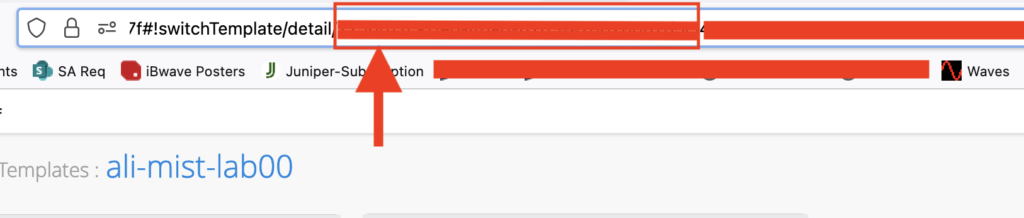
I have all the information now, time to push out the config to the new Site: Switch Template.
Now if I look at the Site: Switch Template, I can see that it has all the VLANs, Port Profiles and Org: Switch Template applied.

Script:
# This script can also update the site level template and can be customized for the changes
# Important thing to remember is that when doing a PUT there is no merge.  You have to send the whole config
import yaml
import json
import requests
from pprint import pprint as pp
import time
from common.auth import read_yaml_mist
arf_mist_apikey = read_yaml_mist()

site_id = input('Enter Site ID: ')

def configure_site():
    with open ('import_template.json', 'r') as f:
        data = json.load(f)
    url = f'https://api.mist.com/api/v1/sites/{site_id}/setting'
    payload = json.dumps(data)
    #pp(payload)
    headers = {
        'Content-Type': 'application/json',
        'Authorization': arf_mist_apikey
    }
    results = requests.put(url, headers=headers, data=payload)
    #site_template = results.json()
    #pp(site_template)

def apply_netw_template():
    template_question = input('Enter Y if you want to apply an Org Switch Template, otherwise N: ')
    if template_question == 'Y':
        url = f'https://api.mist.com/api/v1/sites/{site_id}'
        netw_temp_id = input('Enter Network Template ID: ')
        data = {'networktemplate_id': netw_temp_id}
        payload = json.dumps(data)
        # pp(payload)
        headers = {
            'Content-Type': 'application/json',
            'Authorization': arf_mist_apikey
        }
        results = requests.put(url, headers=headers, data=payload)
        site_template = results.json()
        pp(site_template)
    elif template_question == 'N':
         print('Script Complete')
    else:
        raise ValueError("Value must be Y or N")

if __name__ == "__main__":
    configure_site()
    apply_netw_template()
Further automation can be added to it, technically I have also pushed out a full site config using a similar method. One very important thing I found out early on was that there is no “merge” option, whatever I push out will override what is in there, I created and used this script for a brand new site with no settings configured in there yet. If there is existing configuration there will be a totally different process. Feel free to share your feedback, would love to get your thoughts if you use Mist and do something similar.
NOTE: All config/script samples are from my lab environment use them at your risk. They are provided as is without any warranty, assurance. Always test configurations, settings etc in a non production environment before using it in production.