
I was recently doing some troubleshooting around screen casting/mirroring/sharing etc and kept getting deeper into this mDNS and AWDL hole. After some conversations in Mist Slack Channel with Bryan Ward, Brian Powers, Robert Haviland, Jake Snyder, Allyn Crowe I got some clarification.
I decided to document some of what I tested and discovered.
Test Setup:
- Apple TV in
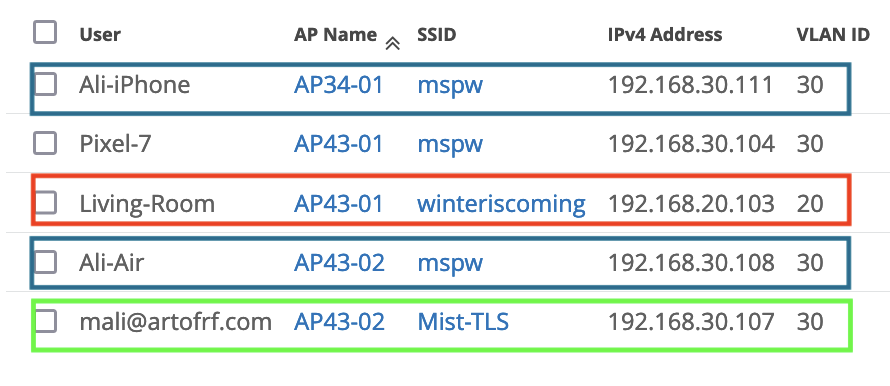
VLAN20connected to SSID (winteriscoming). VLAN20 SSID(winteriscoming) –> Isolation – Same APVLAN30 SSID(mspw) –> Isolation – Disabled
Tools I used:
- Wi-Fi Explorer 3
- Airtool 2
- Ekahau Side Kick 2
- Discovery App
- M1 Macbook
- iPhone Pro 15
- iPad
- BLE Scanner
- Mist AP43
- Mist AP34
Test 1 – Same VLAN/SSID (Isolation – Same AP):
- Apple TV in
VLAN20connected to SSID (winteriscoming). - Mac, iPad and iPhone in
VLAN20. VLAN20 SSID(winteriscoming) –> Isolation – Same AP- No Bonjour Gateway Enabled
- Apple TV, Macbook and iPhone all connected to the same AP/different APs
Default behavior of a WLAN in a flat VLAN allows mDNS packets. Devices should be able to discover each other and there is no need for Bonjour Gateway, unless “Broadcast/Multicast” filtering is on. For this test I enabled “Isolation” –> Same AP” and did not have any Filtering(Wireless) enabled.

Here’s all my devices connected to the same access point and SSID using VLAN20.

Next I used the “Discovery App” to validate that my Mac and iPhone 15 Pro can discover the AppleTV named “Living Room”.

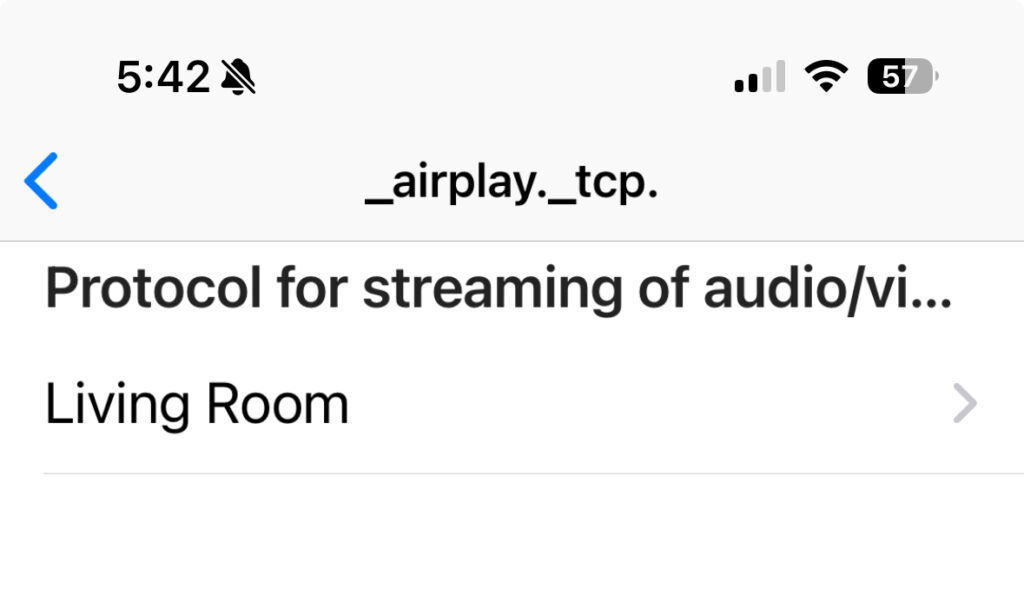


Since I have the “Isolation” on “Same AP” enabled I noticed that when all devices were connected to the same Mist AP34-01, I was not able to communicate with them since checking that option disables any peer to peer communication.

As soon as I moved the devices to different APs, I was able to communicate successfully.


Test 2 – Different VLANs/SSID (Bonjour Gateway Disabled):
- Apple TV in
VLAN20connected to SSID (winteriscoming). - Mac, iPad and iPhone in
VLAN30. VLAN20 SSID(winteriscoming).VLAN30 SSID(mspw).- VLAN30 SSID(Mist-TLS)
- Bonjour Gateway Disabled.
- Bluetooth on.
In this test I have the Apple TV on one SSID/VLAN and other client devices on different SSID/VLAN as listed above.
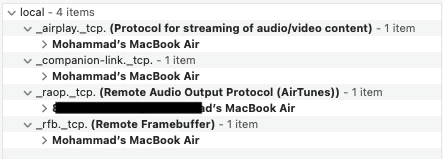
With Bonjour Gateway Disabled, I’m unable to see my Apple TV in the Discovery app. NOTE: I was able to only see my MacBook from my iPad because they are both in VLAN30.

Can I still Mirror my screen between two devices and able to see other devices? I tested this from my iPad and iPhone and then my Mac, and it looks like screen mirroring still works.

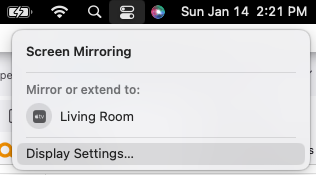
Reason behind this is AWDL (Apple Wireless Direct Link); devices will discover each other using Bluetooth and then establish a direct link with each other using the “Social Channels”, 6, 44 and 149.

This pcap from Wireshark shows AWDL frames.

Another noticeable thing was that when I was doing screen mirroring from my iPad or iPhone it was only using 20 MHz channels, however, when I did a large video file transfer from my phone to the laptop it ended up using 80 MHz channel.

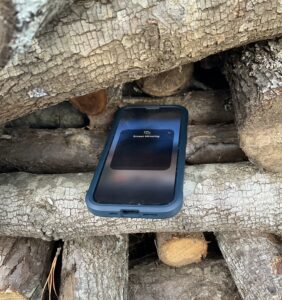
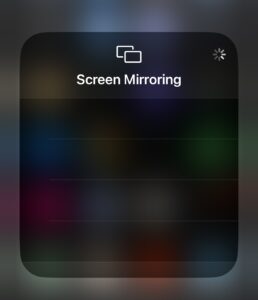
Since it uses Bluetooth, discovery range is far, so I went outside my house and tried to mirror again; this time nothing showed up as I expected.
Bluetooth Off:
What happens if I use all the same parameters from Test #2 above and turn the Bluetooth off? Since the discovery is happening using Bluetooth, as expected I did not see any results.

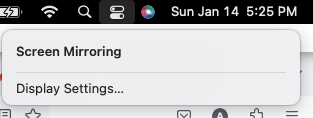
Next I wanted to test the same scenario on my iPhone and iPad. Just like my MacBook, I expected the Screen Mirroring to not work, however, after I turned off the Bluetooth from the quick menu, I was still able to see my Apple TV and screen mirror.
Why this happens on iPad/iPhone? I created a short video that explains this, here is some further reading from Apple on this, “Use Bluetooth and Wi-Fi in Control Center”.
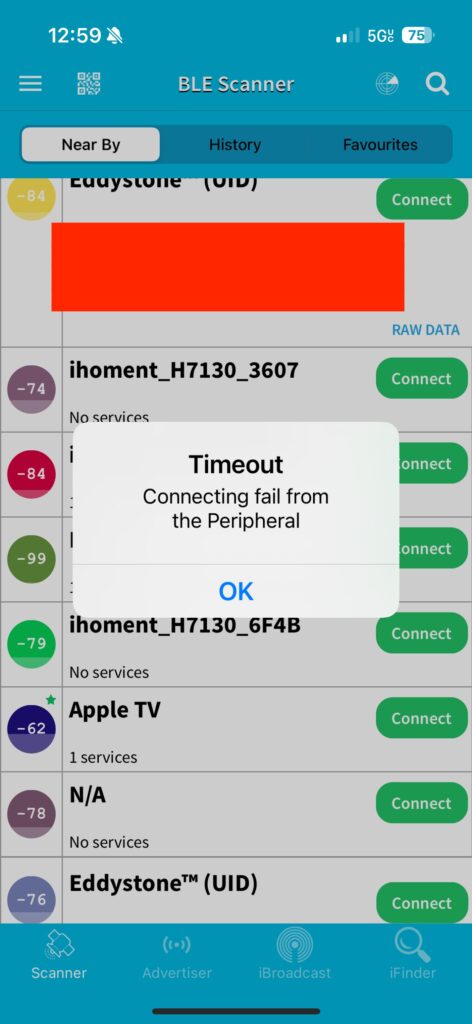
I used a BLE Scanner to do some testing and after turning off the Bluetooth from the quick menu, I was able to see the Apple TV, but I was not able to connect to it as shown in the video later.
Test 3 – Different VLANs/SSID (Bonjour Gateway Enabled):
- Apple TV in
VLAN20connected to SSID (winteriscoming). - Mac, iPad and iPhone in
VLAN30. VLAN20 SSID(winteriscoming).VLAN30 SSID(mspw).- VLAN30 SSID(Mist-TLS)
- Bonjour Gateway Enabled.
- Bluetooth on.
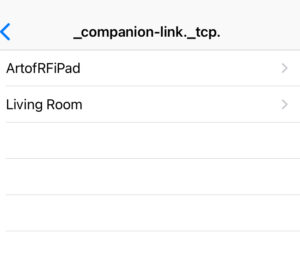
With the Bojour Gateway enabled on the SSID (mspw), now I am able to see Apple TV from VLAN30 in the Discovery App on my MacBook, iPad and iPhone.


Bluetooth Off:
Even if I disable the Bluetooth completely, I am able to see the Apple TV and cast to it successfully now.
Test 4 – Different VLANs/SSID (Bonjour Gateway Enabled):
Spectrum Analysis (AirDrop):
- Apple TV in
VLAN20connected to SSID (winteriscoming). - MacBook SSID (winteriscoming)
- iPad/iPhone SSID (mspw)
VLAN20 SSID(winteriscoming).VLAN30 SSID(mspw).- VLAN30 SSID(Mist-TLS)
- Bonjour Gateway Enabled.
- Bluetooth on
I wanted to look at some Spectrum Analysis while doing a file transfer from VLAN30 to VLAN20 with the Bonjour Gateway Enabled. This time I connected my MacBook to the SSID (winteriscoming) in VLAN20.
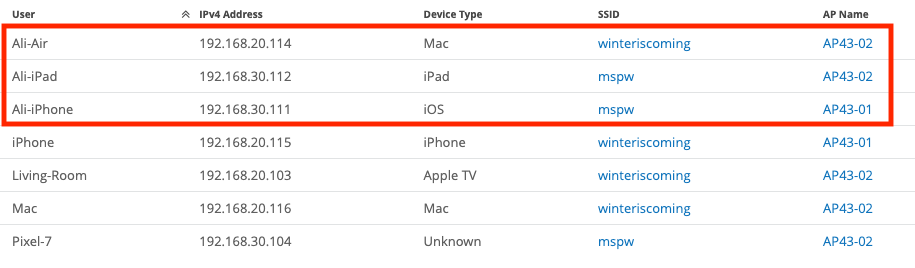
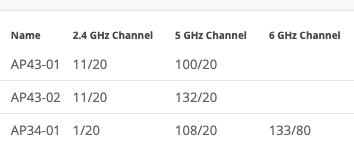
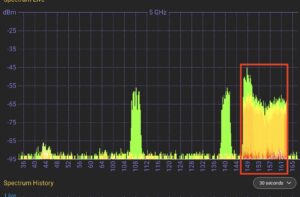
AP43-01 is where my iPhone was connected. This AP was on channel 100. AP43-02 is where the Apple TV was connected, this AP was was on channel 132. Spectrum Analyzer shows little bit traffic on channel 100 and 132, but notice how 149, 153, 157, 161 all four channels are being utilized during the file transfer. So AirDrop traffic ended up using the 80 MHz channel with 149 as the primary channel.
In this next video, I took the phone further away from my MacBook to see how it will behave. I noticed very little traffic on channels 52 (AP43-01 changed channel) and 132, but the video clearly shows that AirDrop transfer took a while to start and it started on 80 MHz channels with 149 being the primary.
Any mirroring on the other hand, I did not notice it hitting the 80 MHz channels with 149 as a primary channel.
Summary:
I did not realize it would take this long to write this, but the testing every thing multiple times and video editing is apparently very time consuming. I feel like, there is more to all this and next I’d love to dig into some more mDNS pcaps and Spectrum Analysis.
I used Juniper Mist Access Points so the configuration is specific to Juniper Mist WLAN, but I’d imagine basic rules should apply to all the vendors. If I get enough time I may test out another vendor.
I must admit that I learned some new stuff along the way while writing this. I highly encourage you to follow some of these links that were very helpful to me during this testing.
- AWDL | Ferney Muñoz | WLPC Phoenix 2020 (Love this video, Ferney did a great job)
- Apples to Apples | Bryan Ward (Excellent presentation from Bryan and he shared his slides from the WLPC presentation with some good data/content. Go Read it and then read it again atleast few more times)
- I also found this resource that revolves around the security aspect of AWDL, “A Billion Open Interfaces for Eve and Mallory: MitM, DoS, and Tracking Attacks on iOS and macOS Through Apple Wireless Direct Link”. And here is a link to their slide deck.
If you have made it this far, would love to hear your thoughts, feedback and about your mDNS, AWDL experiences. If you find any information wrong or incomplete, please reach out to me and I’d be happy to update that information. Thank you for reading.
Hi Ali,
Nice write up and very informative. The nuances of Airplay/airdrop are not trivial.
I see that there is a difference between disabling bluetooth (control center) and turning in off (settings). I think if you turn it off from settings then airplay would not work right?
I wanted to check if you have some across apple tv deployments in Corp/Edu and what are some of the best practices around this.
Fantastic write up Ali. Looking forward to WPLC2024